 Onsoon Labs
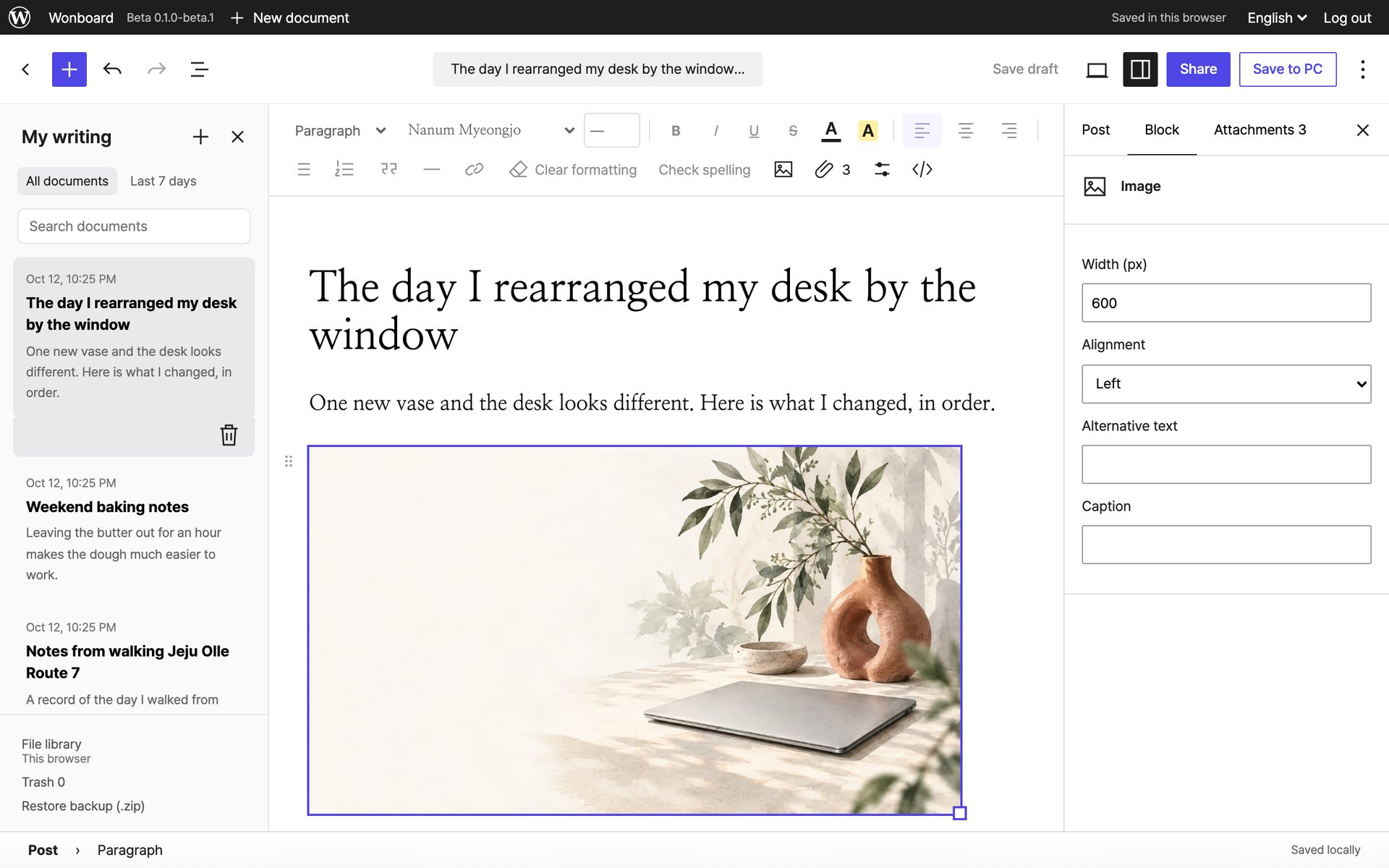
Place photos and size them
Put a photo where you want it in the post, then set its width and alignment. Alt text and a caption go alongside.
 Wonboard
A writing tool for photo-heavy posts such as guides, reviews and travel logs. Write them with formatting, and it prepares the post for pasting into the community boards you are active on.
You install it on your own ChatGPT site. The introduction and install page is in Korean.
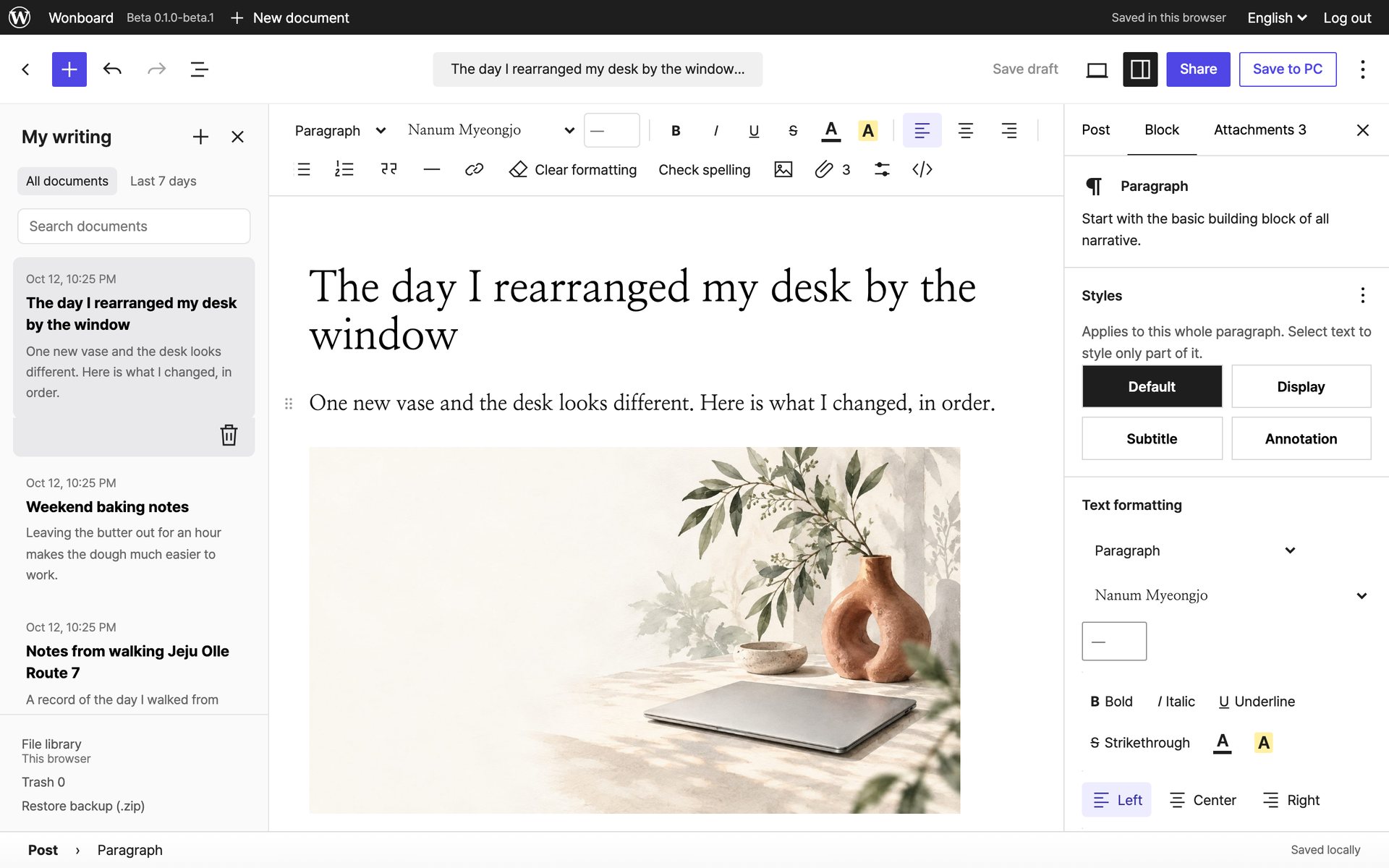
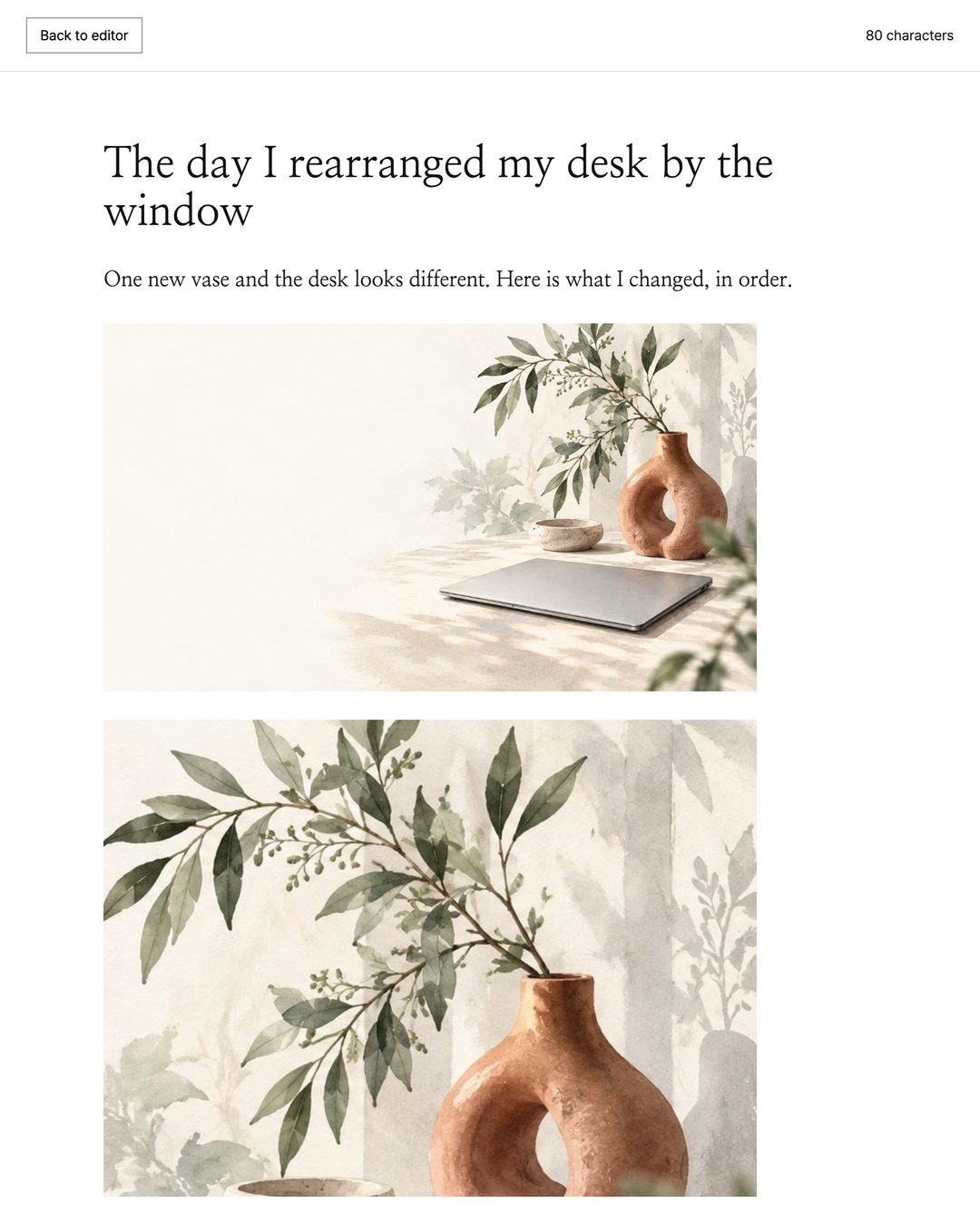
It prepares photo addresses and HTML for you to paste into a board. The aim is to keep paragraphs and photo placement as close as possible; boards allow different formatting, so identical rendering everywhere is not guaranteed.
Put a photo where you want it in the post, then set its width and alignment. Alt text and a caption go alongside.
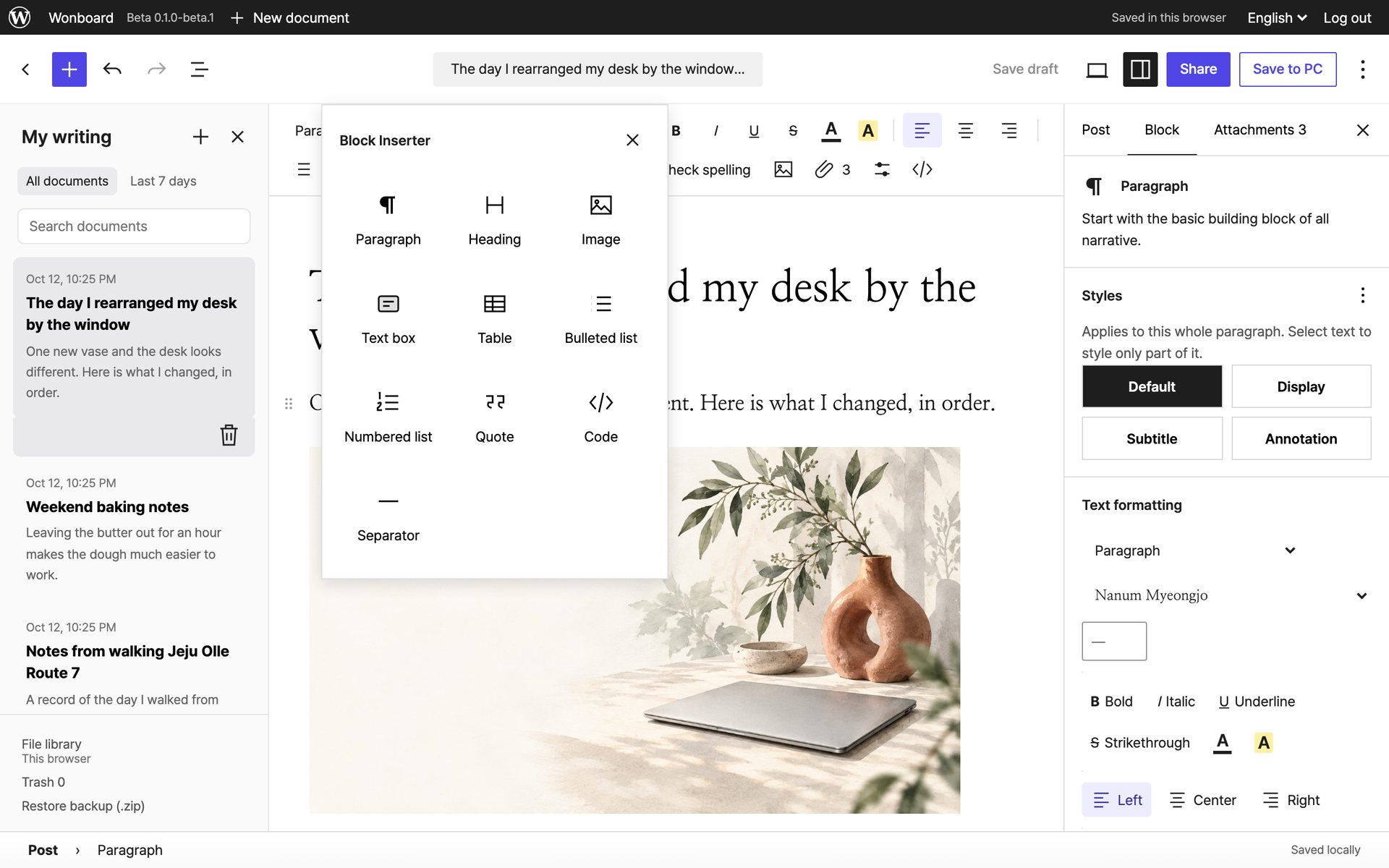
Choose from paragraph, heading, image, text box, table, lists, quote, code and separator.
These are the actual Wonboard screens, captured in the local developer build. The posts shown are samples.
ChatGPT and Sites are OpenAI services. Wonboard is a separate project, not affiliated with OpenAI.