 Onsoon Labs
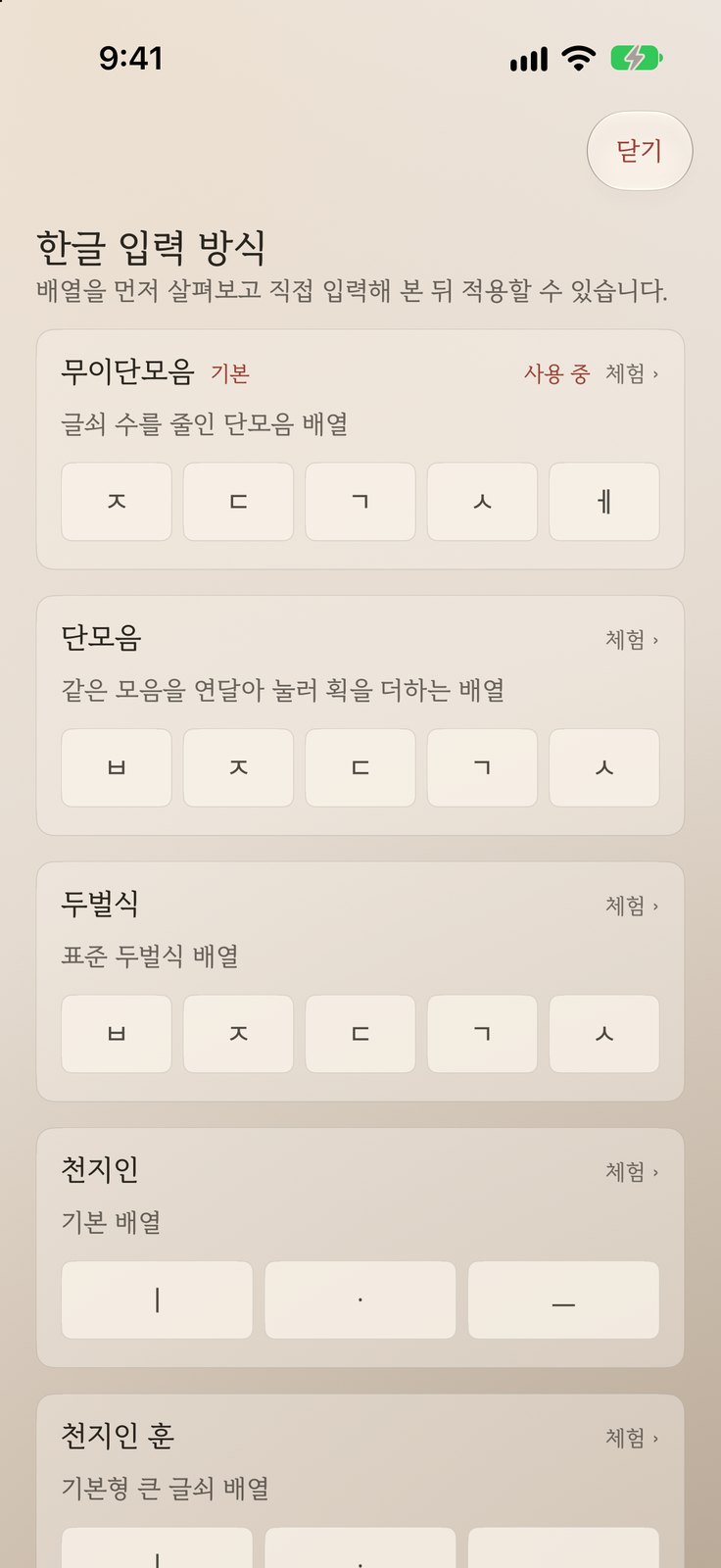
Try nine layouts, then choose
Muidanmoeum, Danmoeum, Dubeolsik, Cheonjiin and its variants, Naratgeul, and jamo cycling. Look at each layout, type on it, then apply it. Muidanmoeum is the default.
 Topki
Topki is an iPhone keyboard with nine Korean layouts to try and choose from.
Coming soon · iPhone · iOS 26 or later
No account, login or cloud sync. What you type day to day is neither stored nor sent anywhere
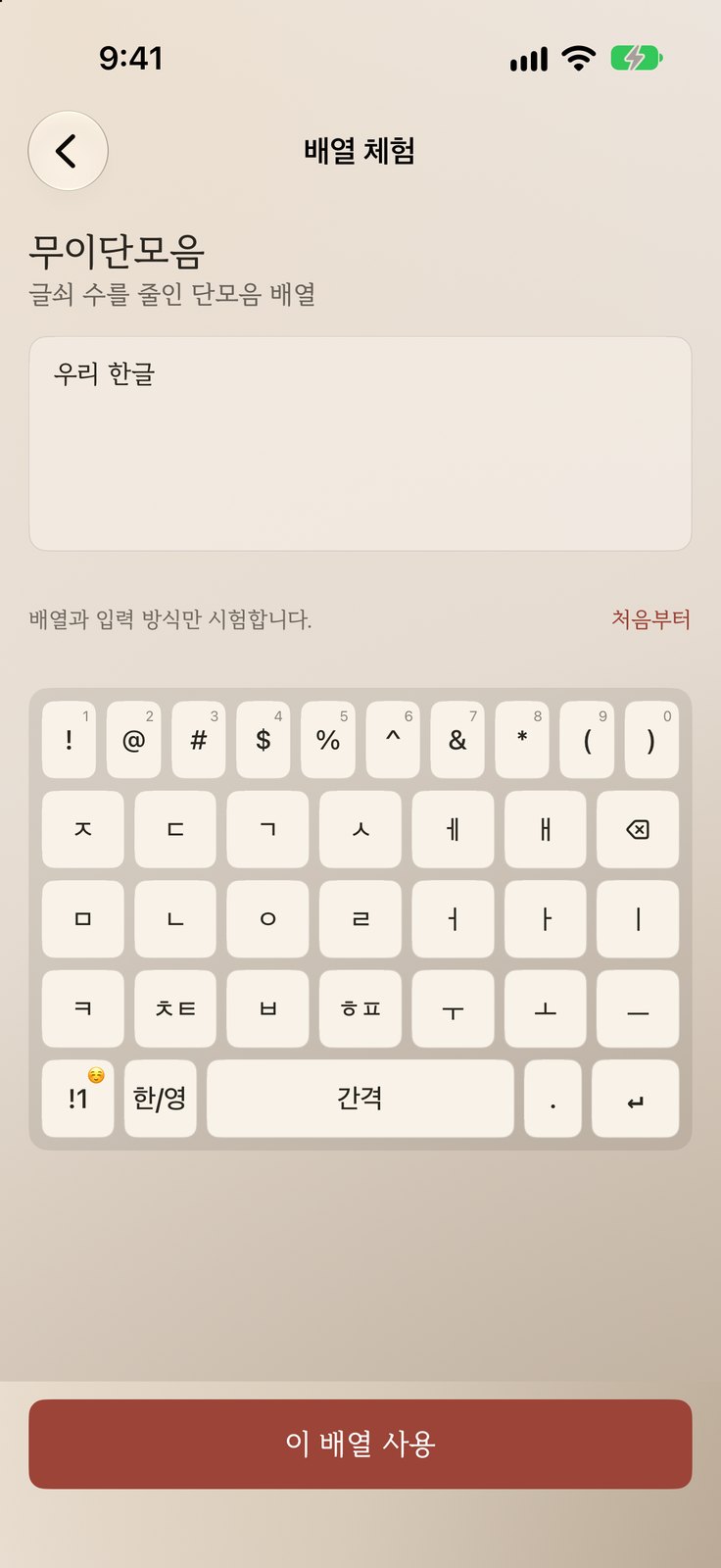
Muidanmoeum, Danmoeum, Dubeolsik, Cheonjiin and its variants, Naratgeul, and jamo cycling. Look at each layout, type on it, then apply it. Muidanmoeum is the default.
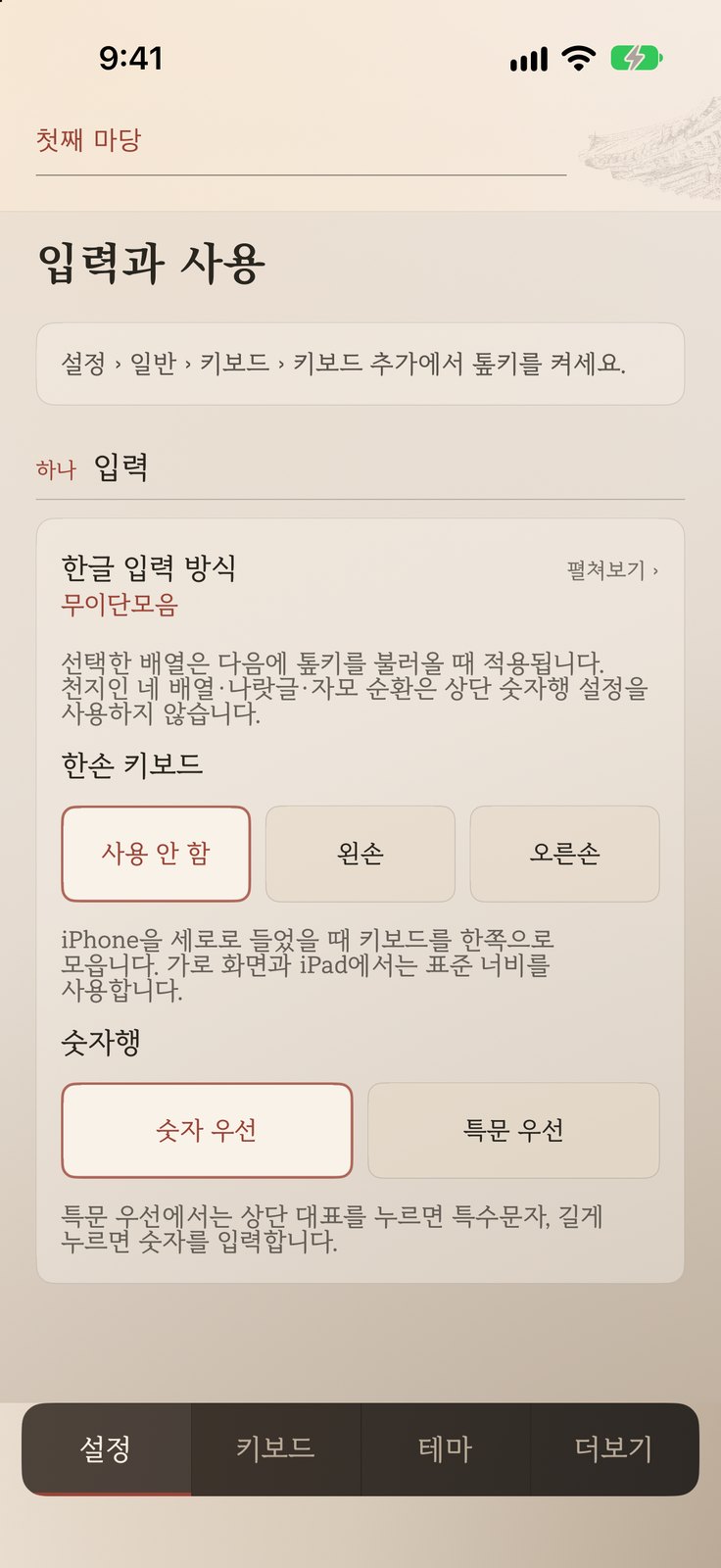
Choose left or right for one-handed mode, and numbers first or symbols first for the number row. Key spacing is adjustable too.
Themes such as Haeryebon, Light Violet and Cheongnam each come in a light and a dark version.
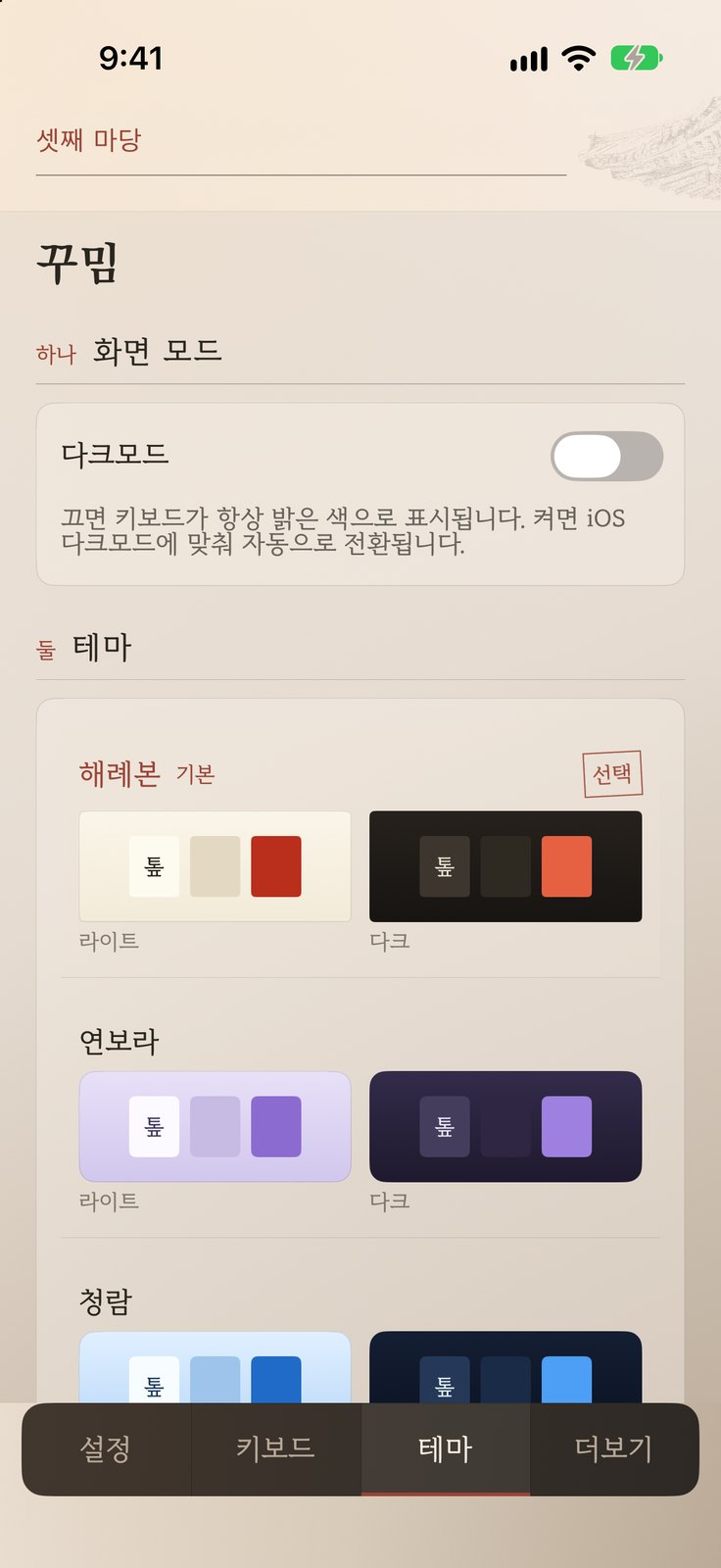
These are the actual Topki screens, captured in the iOS Simulator. The app's interface is in Korean.